Creating matches
To create a match in Torneo, select the desired competition by clicking on My Competitions, and then, in the Matches’ tab, click on the pink plus button to add the match details.
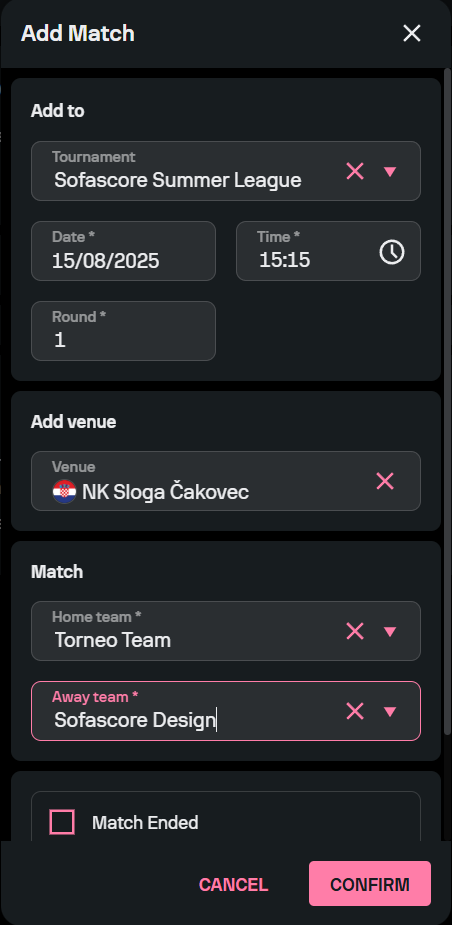
Fill in the form to select the participating teams, the time and date of the match, and, optionally, the venue where the match will be played. If the match you’re adding has already been played, tick the Match Ended box below the details to add the result.
If you need to add another match with the same date and time, played in the same round, you can do it by simply ticking the box under the Match Ended one. When you’re done editing the details of the match, click the ‘Confirm’ button, and the match will become visible in Torneo.