Adding venues
If you wish to add a team’s home venue, you can search for an existing one by typing the venue name in the Venue search box. However, if the venue is not on our list, you can create a new one.
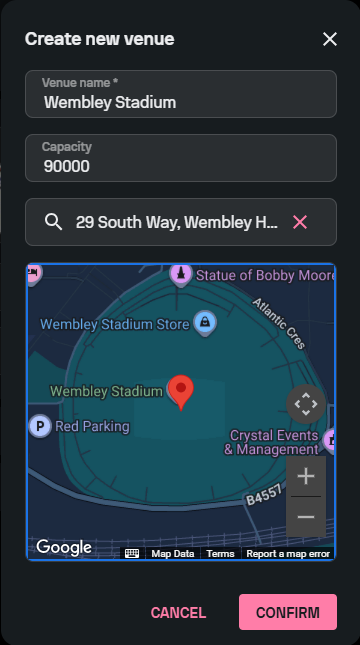
In the Teams tab, select the desired team, go to the Venue section, and then select ‘Create new venue’. Enter the name, the capacity, and the address of the venue. Also, pay attention to the map section, and make sure to move the pin to the center of the venue.
Once you fill in all the details and click ‘Confirm’, the venue suggestion will be sent to our admins for approval. To make sure that your venue gets approved as soon as possible, make sure to input only correct and accurate information.