Standings
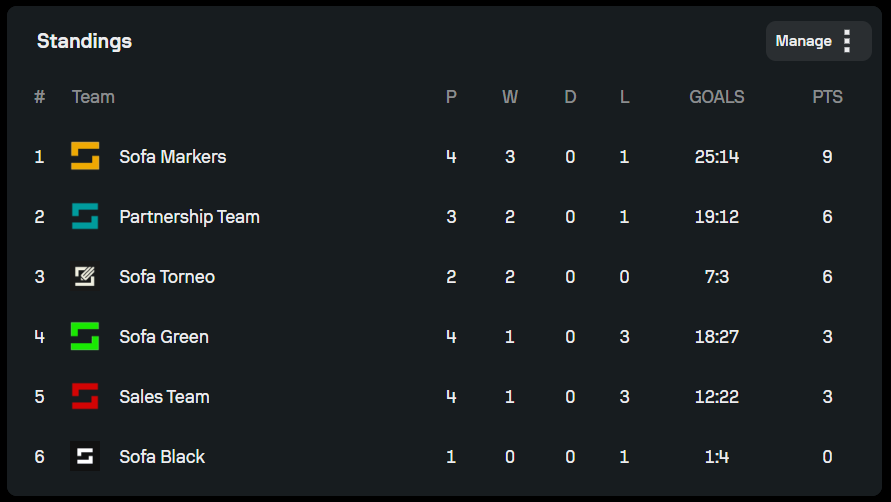
The Standings tab displays the current rankings of all teams in the competition. It automatically updates based on the results of the matches that have been entered. Please keep in mind that it might take some time to recalculate the standings once the match results have been added.
How standings work
- When you add or update match results, the standings update automatically
- Teams are ranked by their total points
- If teams finish with the same number of points, additional ranking rules (such as goal difference or head-to-head result) may apply, depending on the tiebreaker rules set in the competition's Regulations tab
The Standings tab displays the current rankings of all teams in the tournament. It automatically updates based on the results of the matches that have been entered.
Manual adjustments
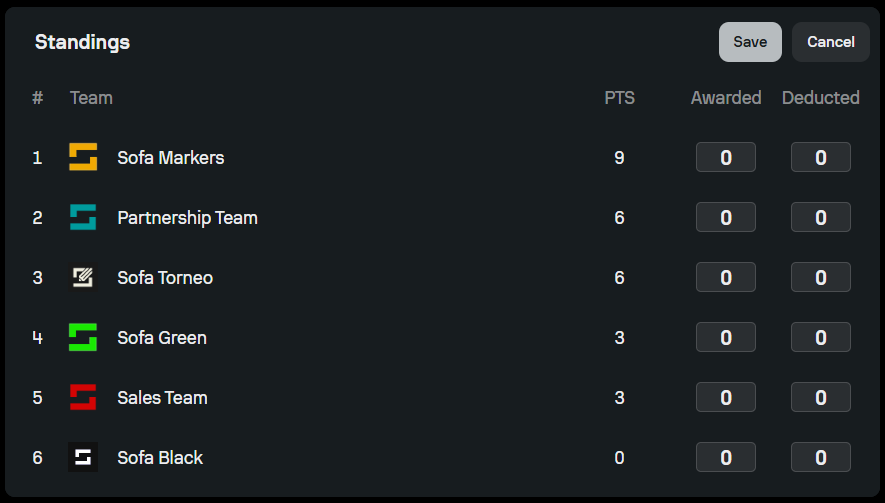
In some situations, you may need to manually adjust the competition standings. This is typically used when a match has been entered incorrectly and needs correction, and when administrative decisions require point or result updates.
If you would like to manually adjust standings, click on the Manage button in the Standings tab. The Manage section allows you to edit points, manage promotions, manually reorder teams, and recalculate standings. Any manual changes will be immediately reflected in the Standings table.