
Adding players
Players can be added through the Squad tab of a team. You can either create a new player or add a player who already exists in our database.
How to add a player (step by step)
- Open My Competitions and select your competition.
- Go to Teams and select the desired team.
- Open the Squad tab.
- Click Add player.
- Choose whether to select an existing player or create a new one.
- Fill in the required fields and confirm.
Adding existing players
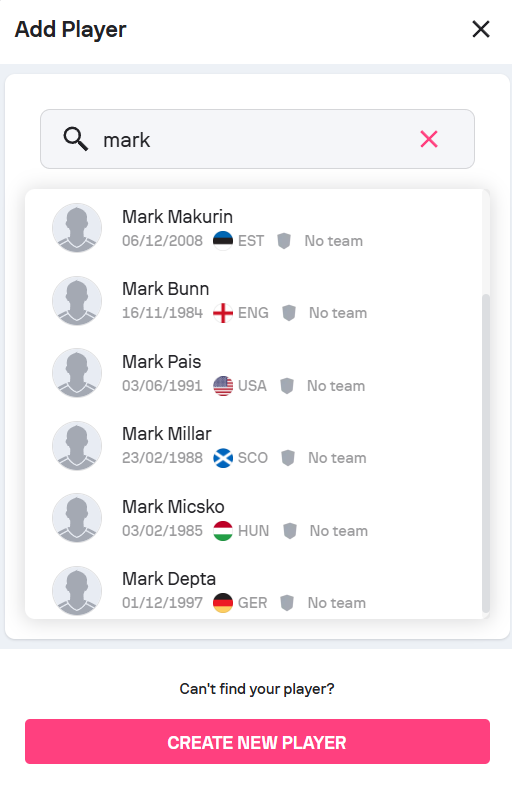
If you would like to add an existing player, start typing the name of the desired player, and the list of players who are already in our database will immediately appear as a dropdown menu. You can then select the player you're looking for.
Creating a new player
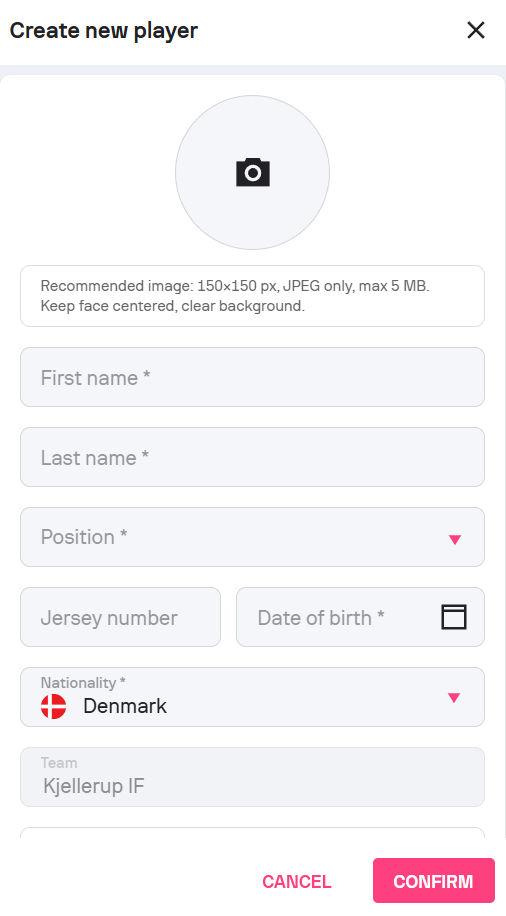
If you would like add a player who is not in our database, simply click on 'Create new player', and fill in the required information. Be careful to always input accurate data.
Mandatory fields:
- First name
- Last name
- Date of birth
- Nationality
Optional:
- Shirt number
- Position
- Photo (JPEG only)
Automatic checks ensure data quality, including name formatting and duplicate detection. These checks help prevent incorrect or misleading player data from being published.
Keep in mind: Entering placeholder birth dates, nicknames, or inconsistent naming formats may result in rejection during review.
Common mistakes when adding players
- Using nicknames or shortened names instead of full legal names
- Entering approximate or repeated dates of birth for multiple players
- Uploading photos that do not meet quality or format requirements
- Mixing name order (surname entered as first name, or vice versa)