
Adding teams
Teams are managed from the Competition section.
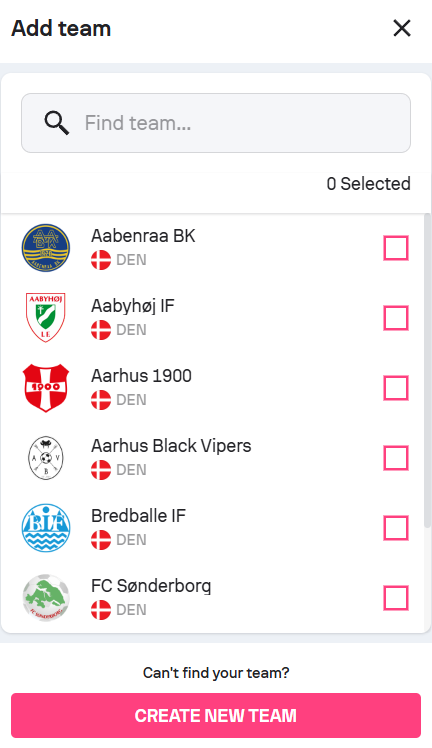
You can add an existing team from the database or create a new team.
How to add a team (step by step)
- Open My Competitions and select your competition.
- Go to the Competition section.
- In the Teams section, click Add team.
- Choose whether you want to:
- Search for an existing team, or
- Create a new team.
-
Fill in the required information and confirm.
When adding an existing team, all associated players are automatically imported.
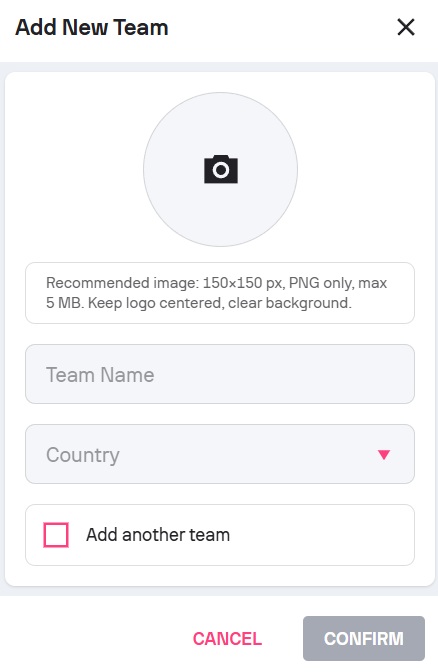
Creating a new team
Required fields for new teams:
Team name
Country
Optional:
Team logo (PNG only)
Keep in mind: Team names must be accurate, complete, and properly formatted. Abbreviations, placeholders, or unofficial naming may cause delays during review.
Common mistakes when adding teams:
- Using informal or shortened team names instead of official ones
- Uploading logos that are low-resolution or not in PNG format
- Creating duplicate teams instead of searching for an existing one
- Removing teams after publishing without understanding the impact on public data