
How to delete your Torneo account
Want to remove your Torneo account? Here's how to do it on the web and mobile versions of the platform. Please note this action is permanent — once you confirm deletion, your Torneo profile cannot be recovered.
Important Notes
- Any matches, teams, players, or competitions you created will still be visible in the core Sofascore app — only your Torneo profile will be disconnected from them.
- Make sure you really want to delete your account before confirming.
Web version
- Make sure you're signed into your Torneo account
- Click the profile icon in the top-right corner
- In the panel that opens, scroll down and select Delete account (below Sign out)
- Review the warning message in the confirmation dialog
- Click DELETE ACCOUNT to confirm, or BACK to cancel
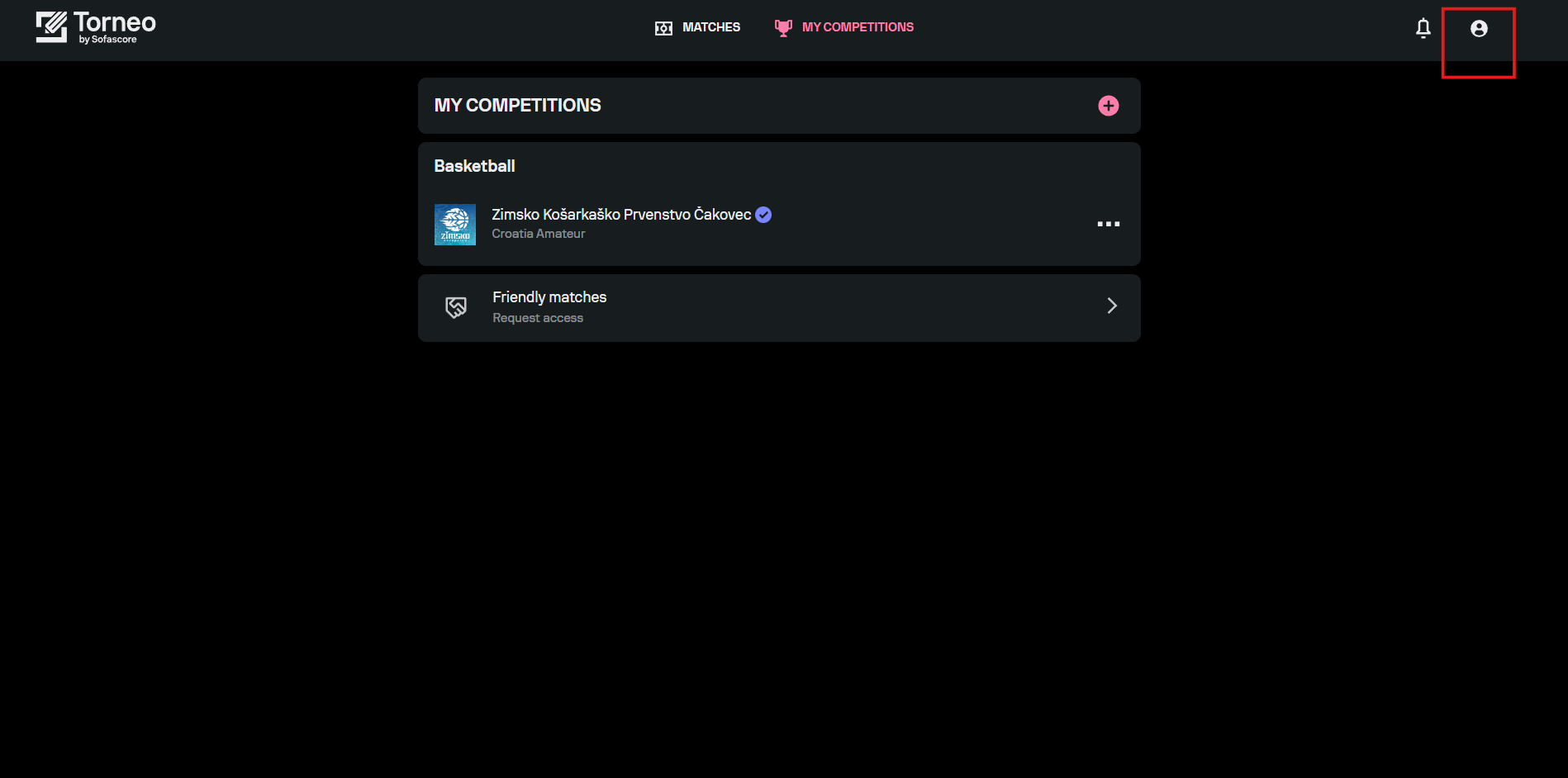
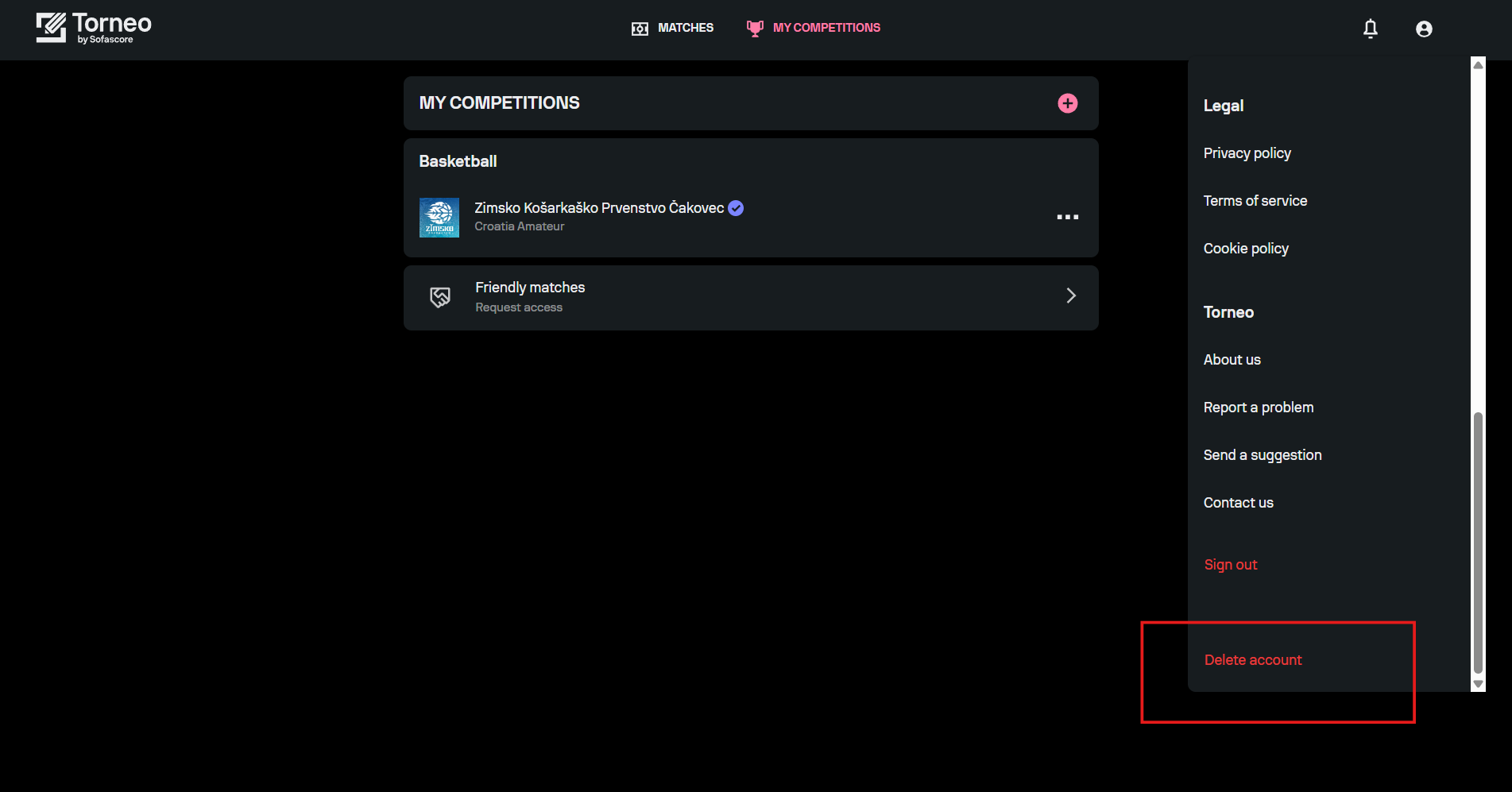
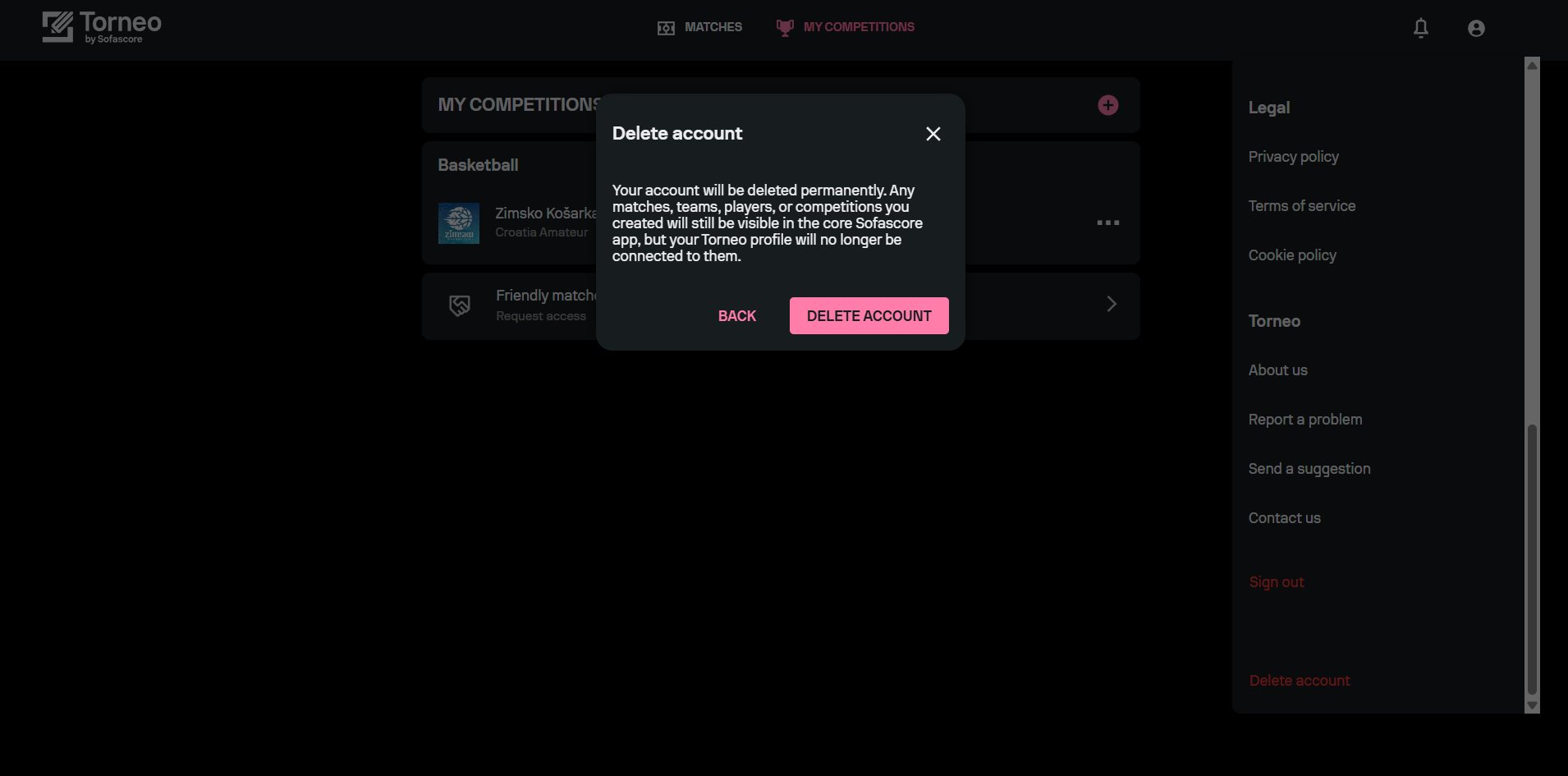
Once confirmed, your Torneo profile is removed immediately.
Mobile App
- Tap the Profile tab in the bottom navigation bar
- Scroll to the bottom of the Profile screen
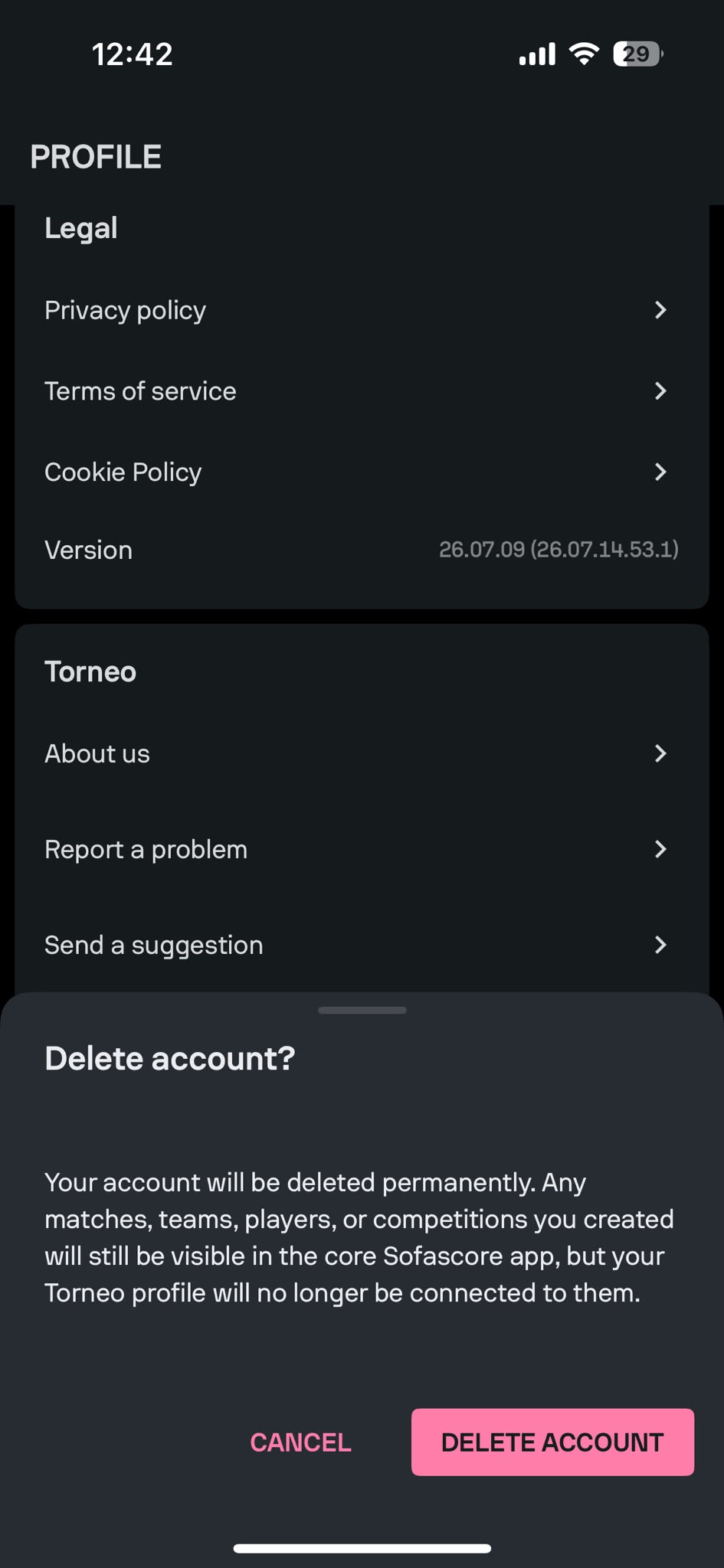
- Tap Delete account
- Review the warning message in the confirmation sheet
- Tap DELETE ACCOUNT to confirm, or CANCEL to cancel
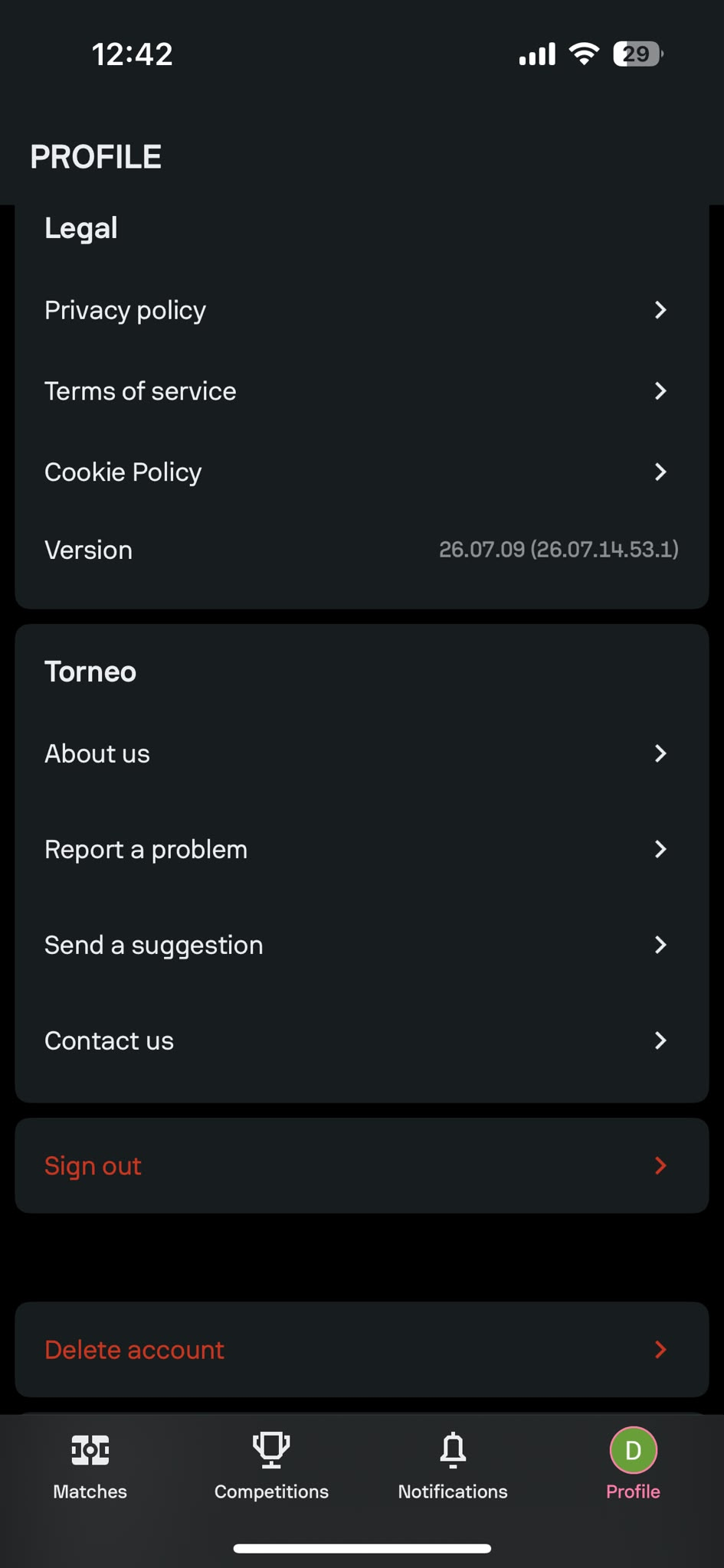
Once confirmed, your Torneo profile is removed immediately.